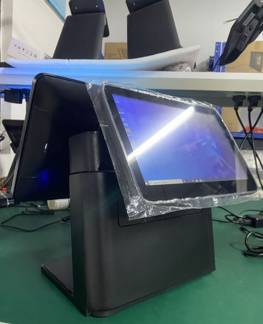
In Stock
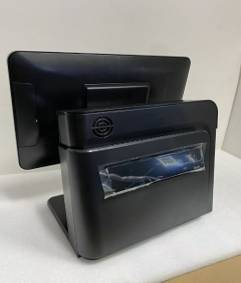
POS i5, 8GB RAM(or higher), 256 SSD
(or Higher), 6th Gen (or Higher) Dual Screen
Neutral Box with Top Edge Logo Label
DC 12V 5A VOLTAGE: 100-240V 1.5A Accessories list POS machine 1 Pos machine instructions 1 Powerline 1 Adapter 1 Warranty card and certificate Open the box Lift up Plug power and external equipment. Power interface VGA interface Com1 interface USB 3.0 interface Ethernet interface USB 2.0 interface Headphone/audio output interface Audio input interface Power switch Drivers and software installation 1. When the operating system is displayed after power on, you do not need to install the operating system again. You can directly install the cash register software and other external devices drivers. 2. Install cash register software, according to the cash register software installation instructions to guide the installation; 3. Install the driver, such as printer, scanner, label machines, etc.: according to the instructions to complete the installation; (Shutdown, can be only be shut down by the operating system “shutdown button”, direct power off is strictly prohibited. Direct power outage may result is system crush, no reboot, software data loss, and no warranty coverage) Common faults and Troubleshooting Error 1: the system time is not accurate. Method: enter the BIOS change time and save Error 2: inaccurate touch method 1: open the calibration tool, first “clear and calibrate” and then “linear setting “save it. Method 2: uninstall the touch driver, reboot the machine and install the correct touch driver. Error 3: after the boot can not enter the system, always appear the win 2000/XP blue sky and white clouds and no change. Method: restart the computer and press “F8” when the system starts and then select “last normal startup mode” Tips: 1. Please do not shutdown and power off abnormally. 2. Do not immerse liquid in the body. 3. Please clean the dust regularly to keep the POS machine clean. 4. It is forbidden to open and close the POS machine frequently. 5. In the event of a malfunction, please inform the professional. Thank you for choosing us.