Low Stock
USER MANUAL
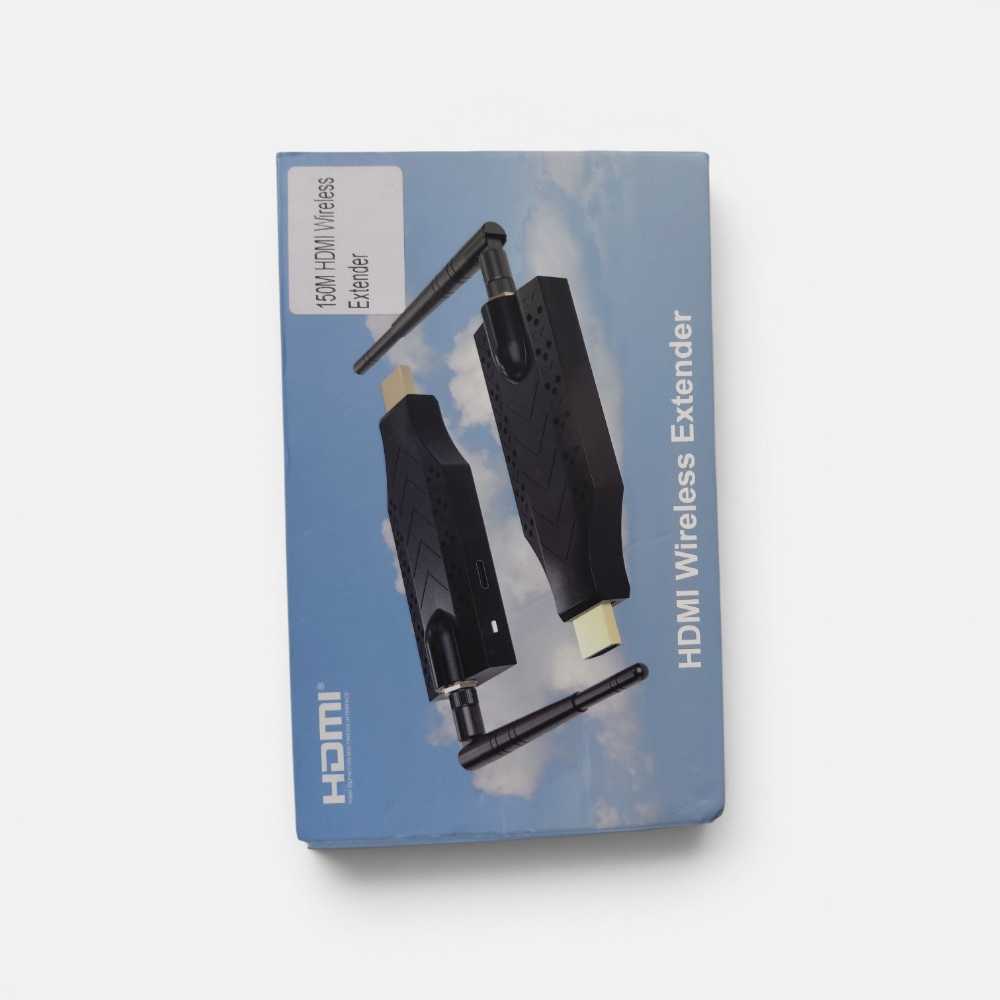
HDMI Wireless Extender
Enjoy the vivid world
Before using the product, please read this manual carefully and keep it properly.
Date of publication: 2025-10-20Introduction :
This HDMI Wireless extender uses 5G modules to enable high-speed, high
performance wireless communication among consumer electronics, computer and
mobile devices. It combines high bandwidth capacity and strong error correction
capability, Realize high-definition video transmission and support wireless screen
projection Supports wireless casting of mobile phone or computer screens to display
devices. It transmit the signal up to 150m in the open area,also go through the wall.
TX
RXFeatures :
* Support HDCP1.3;
* Support standard protocol IEEE802.11a/n;
* Support Miracast, Airplay wireless protocol;
* Support Android phone /PC/Apple wireless screen sharing;
* Working in 5G frequency band,not easy disturbed to wireless signals;
* Wireless extender mode,the longest distance can be 150m when open space
without any barriers, normal go through the wall up to 40 meters (Laboratory test
environment);
* The transmission distance of the same screen mode can reach up to 50 meters;
* The full metal casing has better heat dissipation and stronger anti-interference;
* External high-gain antenna, better receiving effect, more stable.
Specifications :
HDMI input resolution ..................................... 1280X720 P60/50Hz, 720X480P 60Hz
720X576P 50Hz, 1920x1080P 60/50/30/24Hz
HDMI output resolution …................................................................ 1920x1080P/60Hz
Support audio format ..…….....……........................................................... Stereo audio
Max bandwidth ........……………………..................................…….……….…148.5MHz
Max baud rate ……………...………….…...................................….......….… 1.485Gbps
Transmitter Max working current ………...........................................…….......… 430mA
Receiver Max working current ……………..................................……….........… 300mA
Operating Temperature range ......………..................................…..…. (-15℃ to +55℃)
Dimension ................................................. 108x37x17 (mm) , antenna length: 155mm
Weight ............................................................................................................... 105gx2
Function Interface Figure : TX
1 2
4
6
3
5
1: HDMI In --- HDMI Input
2: DC/5V --- 5V DC Power input port
3: Power indicator
4: TX/RX Connection success indicator /
Pairing success indicator
5: M --- Switch Between Wireless Extender Mode
and Screen Mirroring Mode.
6: ANT --- Antenna
Under pairing condition: When the HDMI In and HDMI Out are connected to each other, the indicator
light blinks slowly after successful pairing.
Under wireless extender connection condition: TX/RX connection status indicator ( blinks rapidly during
connection attempt, remains steadily on after successful connection)
RX 1 2
4
6
1: HDMI out --- HDMI output
2: DC/5V --- 5V DC Power input port
3: Power indicator
3
5
4: IUnder pairing condition: When the HDMI In and HDMI Out are connected to each other,
the indicator light remains steadily on after successful pairing.
Under wireless extender connection condition: When the HDMI Out is inserted into the
display, the indicator light remains steadily on .
5: M --- Screen rotation in the screen mirroring mode 90°/-180°/-270°/-0°) In the screen
mirroring mode, long press the M button to switch channels
6: ANT --- External antennaNote: The wireless extender mode is entered by default when the machine is turned on.
1. In Wireless Extender Mode, press the M button on the TX device to switch between Screen Mirroring
Mode and Wireless Extender Mode.
2. When only RX is used, RX defaults to the screen mirroring mode.
Screen mirroring mode:
Screen mirroring method:
1. Android and PC screen mirroring method 2. Apple's screen mirroring method
Note: In the screen mirroring interface, short press twice to switch between Chinese and English
menu. Screen rotation switch needs dynamic interface or video to take effect immediately.
50M (open area)
Mobile phone PCRX
Channel switching method in same-screen mode: Long press the M button of RX,
The monitor will display the following image:
Note: The factory default setting is Channel 149, If it is for Europe and Japan regions,
switch to channel 44. ( If screen projection fails, you can also long-press the M
button on the RX, to switch the channel, ensuring it is set correctly )Wireless extender mode:
Connection and Operation:
1: Connect the HD source to the input of the wireless extender TX with 1 HDMI cable.
2: Connect the output of the wireless extender RX to the display device with 1 HDMI
cable.
3: Use a Type-c USB cable to power the TX and RX.
Matching code:
Note: TX and RX had been matched well in factory;
If the users need to match again, please follow the steps:
1. Connect the power supply to the Transmitter and receiver ends.
2. The transmitter and receiver are connected to HDMI In and HDMI Out through an HDMI
female to female cable.
3. After successful pairing, the indicator light of RX is on and the indicator light of TX flashes
slowly.
150M (open area)TX RX
Package include:
1. 150M HDMI Wireless Extender
2. Type-C USB cable
3. HDMI cable (male to female)
4. User manual
1 pair
2 PCS
2 PCS
1 PC